You tidied your resume, dropped your name, phone and email into the Word header so it looks polished on every page, and hit apply. Then nothing. No call, no email.
It's possible the recruiter never had a way to reach you. Not because your experience was weak, but because the applicant tracking system (ATS) created your candidate record without your contact details.
This guide covers what actually happens to header and footer text when an ATS parses a resume, why the answer is "sometimes," and the simple fix that removes the risk completely.
The short answer
Some parsers read header and footer text. Some don't. You can't know in advance which one an employer uses, so the safe move is to put your name, email, phone, city and LinkedIn URL in the main body of the document, as the first lines of the page.
That's it. The rest of this article explains why, so you can judge the trade-offs yourself.
Why headers and footers are a special case
In a .docx file, the header and footer are not part of the main document text. Word stores them in separate parts of the file. A parser that only reads the main body never looks there.
TruePositive's resume hazards guide describes exactly this failure: a parser that reads the main document part "recovers a resume with no name, no email and no phone." The rest of the resume can be perfect, and the application still arrives unreachable.
Adobe's article on resume formatting mistakes ranks contact info in the header or footer as the mistake with the worst consequence, for the same reason: the candidate record exists, but nobody can contact the candidate.
But some tests show headers parse fine
To be fair, the picture is not all bad. ReadableResume ran an ATS parsing test using the open-source OpenResume parser and found that contact details in the page header of a Google Docs PDF export came through cleanly. In a PDF, header text is often just another line at the top of the page.
The same test noted something important, though: when the same Google Doc was downloaded as a .docx, the name and contact details sat in the file's header part, outside the main body.
So the honest summary is:
- PDF exports: header text often ends up in the regular text layer and gets read.
- DOCX files: header text lives in a separate part of the file, and parsers that only read the body will miss it.
- Either way: you don't control which parser the employer runs, or which format a portal converts your file into.
When a mistake costs you the interview and the fix costs you nothing, you take the fix.
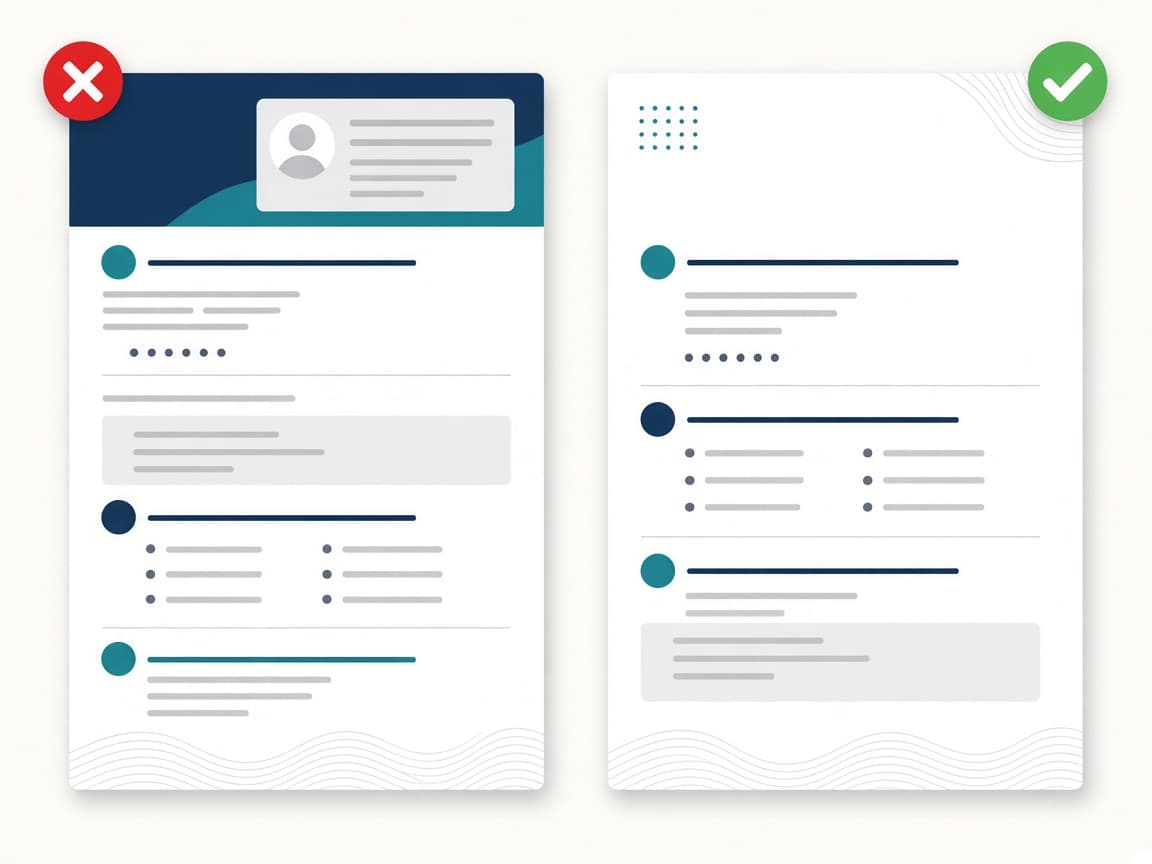
Where to put contact info on a resume (the ATS-safe way)
Place a plain-text block at the very top of the body:
Jordan Lee
Austin, TX · (512) 555-0147 · jordan.lee@email.com · linkedin.com/in/jordanlee
A few rules make this block parse reliably:
- Your name on its own line, in normal text styled larger. Don't make it a text box, a WordArt object or an image.
- Contact details in one or two lines separated by a simple character like a dot, pipe or comma.
- City and state only. You don't need your full street address. Adobe's guide makes the same recommendation.
- Write URLs as text. "linkedin.com/in/yourname" is better than a hyperlinked word like "LinkedIn," because the URL itself is the data.
- No icons standing in for words. A phone icon next to a number is fine; a phone icon instead of a label is fine too, but never put the number itself inside an image.
What can still go in the header and footer?
Nothing important. If you like the look of a running header on page two, repeat your name there, but keep the real copy in the body. Page numbers in the footer are harmless.
Avoid putting any of these in headers or footers:
- Email address or phone number
- LinkedIn or portfolio URL
- Job title or headline you want matched against the job description
- Certifications or clearance levels
Anything that you want an ATS to search on belongs in the body.
Other layout choices that hide your contact info
Headers aren't the only trap. While you're fixing the top of your resume, check for these:
Text boxes
ReadableResume's test found that a Google Docs text box was exported as a picture in the PDF. The name, phone, email and links were visible on the page but not in the text layer, and the parser mistook the "EDUCATION" heading for the candidate's name.
Sidebars with contact details
Two-column templates often stack contact info in a narrow left column. TruePositive notes that without any marker in the file saying "these are columns," extraction can interleave sidebar text into the main content. If you keep a sidebar, at least move contact details out of it.
Scanned or image-only PDFs
If you can't highlight the text in your PDF, no parser can read it either. Adobe suggests a simple test: open the file and try to select the text.
A 2-minute check before you apply
- Open your resume and click into the header area. If your contact details are there, cut and paste them into the first line of the body.
- Save as PDF (or DOCX if the portal asks for it).
- Open the PDF, select all, copy, and paste into a plain-text editor. Your name and email should be the first thing you see.
- Run the file through the free ATS Resume Checker to confirm the contact section is detected along with the rest of your 27 checks.
Frequently asked questions
Can ATS read headers and footers in Word documents?
Some can, many don't. In a .docx file, headers and footers are stored separately from the main text, and parsers that only read the body skip them. Keep contact details in the body to be safe.
Is it OK to put my name in the header of my resume?
Putting your name in the header for visual polish is fine as long as your name also appears as the first line of the body. Never rely on the header alone.
Does a PDF fix the header problem?
Partly. In many PDF exports, header text lands in the normal text layer and gets read. But you can't be sure the employer's system handles it the same way, so the body is still the safer spot.
Should I include my full address?
No. City and state (or city and country) is enough for location matching and keeps your private details private.
How do I know if my contact info was parsed?
Copy all the text out of your PDF into a plain-text editor, or upload it to an ATS checker that shows what it extracted. If your email doesn't appear near the top, fix the layout.
Bottom line
Headers and footers are a coin flip you don't need to take. Put your contact block in the first lines of the body, keep it as plain text, and confirm it with a quick scan. It takes two minutes and removes one of the most painful, invisible reasons a strong resume never gets a reply.